What I Built In My First Week of Claude Code: The Setup
I joined the club at $9 a month on a Sunday night and told myself the only rule for the week ahead was that I had to ship one thing a day. Not finish, not polish, not perfect - just ship. A live URL, a working extension, a script that ran. The whole point of the week was to feel the loop rather than read about it. Below is the honest account of what got built, what broke, and what shifted in my head along the way.
Quick context on where I started. I'd written maybe twenty lines of HTML in my life, had never opened a terminal except to follow a tutorial step by step, and could not have told you what a Git commit was without Googling it. I'd also been around enough AI tools to know the conversational ones felt useful but rarely produced anything I shipped. So when I opened Claude Code on day one, my expectations were tempered. By day seven they were not.
One thing I'll flag up front: every single project below started ugly. The day-one landing page had Comic-Sans-energy. The inbox cleaner deleted the wrong email on the first run. The Chrome extension froze my whole browser and made me force-quit. None of that is in the highlight reel anyone else posts. I'm leaving it in because the ugly middle is where the actual learning happened, and pretending it didn't exist would be the most useless version of this post I could write.
Day 1: A Landing Page That Loaded
The first build was a one-page personal site at my own name. Bio, links, a contact button. I sat down at 8 p.m., asked Claude Code to create a single page with three sections and a clean look, and watched it scaffold an entire project structure I didn't understand. Twenty minutes in I had something running locally that looked like a real website. The font was wrong, the spacing was off, and the contact button did nothing - but it was a real page in a real browser, and that was the bar.
What I learned in those first two hours wasn't a technical skill, it was the cadence. Ask for one small thing, run it, look at it, ask for the next small thing. The temptation when something works is to immediately ask for five more features at once. The temptation when something breaks is to delete everything and start over. Both impulses kill the rhythm. The win on day one was deploying that ugly page to a free hosting service before I went to bed, so I had a real URL to send myself a screenshot of in the morning.
One small win on day one - I wrote a four-line CLAUDE.md at the root of the project that said what the page was, who the audience was, and what tone to use. I did not understand at the time how much that one file was doing in the background. Every later session, Claude already knew context I would otherwise have had to re-explain. That was probably the single best decision of the whole week, and I made it almost by accident.
Day 2: An Inbox Cleaner (That Almost Deleted My Inbox)
Day two I got ambitious and wired up a Gmail MCP server to clean my inbox. The plan was simple - find every unread newsletter from the last 90 days and archive it. The first version of the script worked, in the sense that it ran. It also archived three personal emails I needed because my filter for "newsletter" was sloppier than I thought. I dug them out of the archive, calmed down, and wrote down the lesson: when you give Claude reach into a real account, the cost of being imprecise jumps from "a wasted hour" to "oops, I just acted on three months of mail."
I rewrote the script with two guards. First, a dry-run mode that printed every action it would take without actually taking it. Second, a five-email limit on each run so a bug couldn't cascade into a disaster. With those guards in place, the cleaner did its job - about 340 newsletters archived over the next hour, none of them anything I needed. The clean inbox felt great. The real win was internalizing that any automation touching a real account needs guardrails baked in from the first version, not added after the first scare.
Day 3 and 4: A Chrome Extension That Broke My Browser
The middle of the week I tried to build a Chrome extension. I'd seen people post about tiny extensions that did one useful thing, and I wanted one that highlighted certain keywords on any page I visited. Claude Code generated the manifest, the content script, the popup - everything looked right. I loaded it as an unpacked extension and within ten seconds my browser went unresponsive. The script was running an infinite loop on every page load. I force-quit, dug through the code with Claude, found the runaway loop, fixed it, and reloaded. Browser back. Lesson learned.
Day four was finishing it. The extension worked, but the UI was an eyesore - a default-styled popup with a single textarea. I spent the evening iterating on small visible slices: rounded the corners, added padding, changed the font, made the highlight color configurable. None of those changes were technically hard, but they each taught me something about the loop. The big realization was that I'd spent two days mostly fighting the same kind of small UI issues, not because they were complex, but because I kept asking for them in batches of three or four at a time. The moment I started asking for one tweak at a time and running between each, the progress accelerated.
By the end of day four I had a Chrome extension I actually used. It's not a product, it doesn't make money, and nobody else has installed it. But it's mine, it lives in my browser, and it works. That sounds like a tiny thing. After three days of believing I'd never be able to build a browser extension, it did not feel tiny at all.
Day 5 and 6: A Tiny Client Report Bot
Day five was when the picture started to compose. I'd been talking to a friend who runs a small consultancy and has to send weekly status reports to four clients. Same shape every week - what we shipped, what's blocking, what's next. He hated it. I asked if I could try to automate it and he said yes, more out of curiosity than confidence. Two evenings later he had a script that pulled the week's commits and notes from his project tool, drafted the report in his voice, and saved it to a doc he could review before sending.
The build itself was nothing fancy - read from one MCP server, prompt for the report, write to another. What made it click was watching him use it. The first draft was almost right. The second iteration, after he gave me three pieces of feedback, was indistinguishable from the reports he'd been hand-writing. He shipped it to his actual clients the next week. The moment I realized something I'd built was being used by a real person to do real work, the whole week reframed. It wasn't "I'm learning Claude Code." It was "I built a thing someone else uses." Those are different sentences.
I didn't charge him for it - it was a favor and I learned more from the build than he could have paid me for - but I noted what the equivalent project would cost on a real invoice. Based on what I've read inside the club, a productized version of that report bot is in the $1,500 to $2,400 range as a one-off, or about $400 a month as a retainer. I'm not running an agency yet. But day five was the first time I could honestly imagine running one.
Day 7: What Clicked
Day seven was reflection, not building. I spent an hour going back through the week - opening each project, reading the CLAUDE.md files, looking at the shape of the prompts I'd sent. A few things stood out clearly enough that I want to flag them, because they're the lessons that would compress the next person's week if they took them seriously from day one.
- Ship something runnable on day one, even if it embarrasses you. Every day after gets easier when there's already a live thing to iterate on, and harder when there isn't.
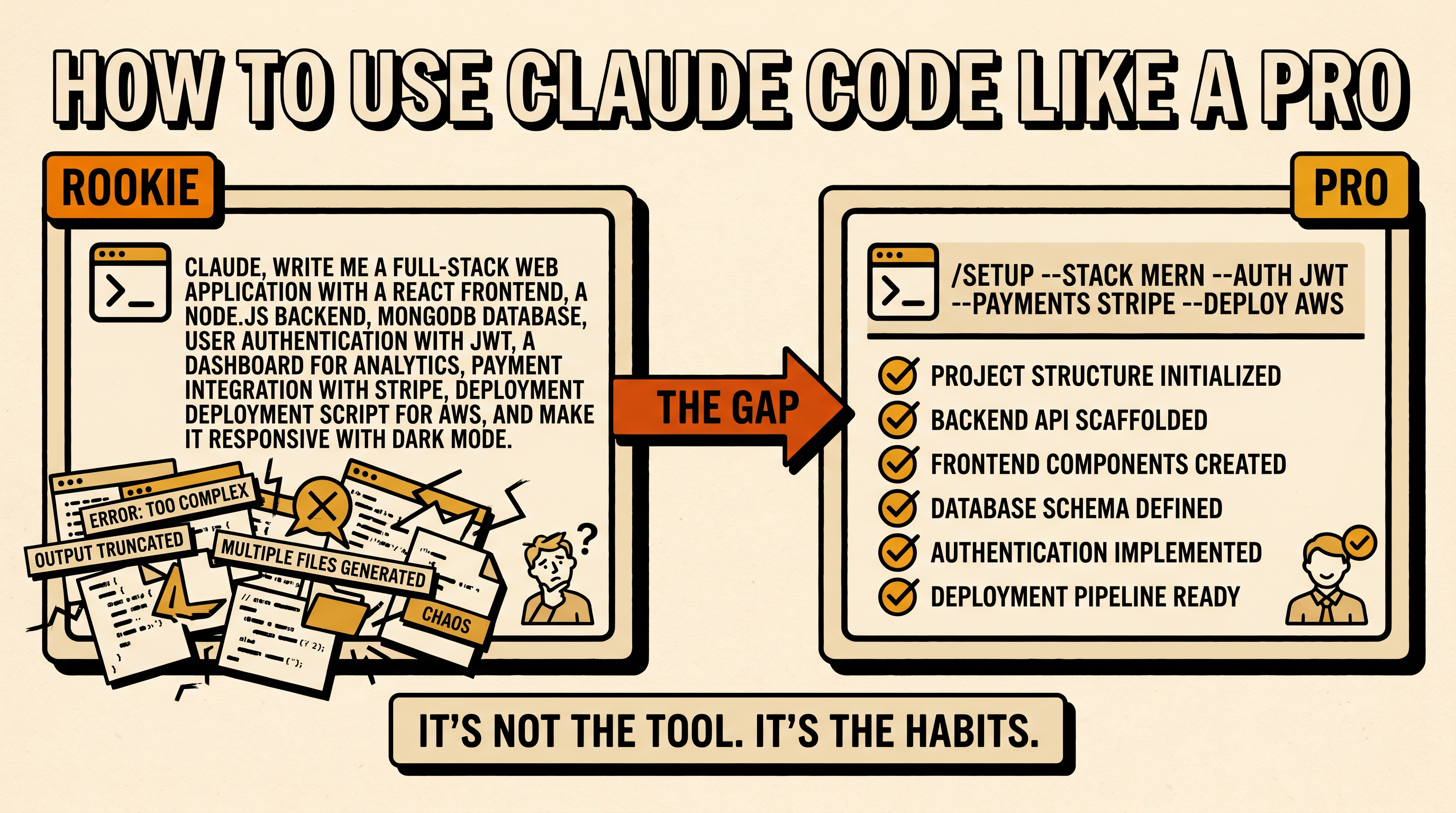
- Write a tiny CLAUDE.md before you start. Four lines is enough. Claude reads it every session and stops forgetting what you're building.
- When something breaks, paste the exact error back. The instinct to rewrite the whole function from scratch is almost always wrong and almost always slower than asking Claude to read the actual error.
- Ask for one small slice at a time. Big-batch prompts produce big-batch confusion. Two-minute loops compound; thirty-minute loops fall apart.
- Add guardrails before reach. Any automation that touches a real account should start as a dry run that prints what it would do, then add the action in the second version.
The moment Claude Code stopped feeling like magic and started feeling like a tool was somewhere around day four, halfway through fixing the Chrome extension. The magic phase is fun but it doesn't survive contact with real problems - you can't be in awe of the same tool that just froze your browser. What replaces awe, if you stick with the loop, is something better: a calm, working trust that you can ask for something specific and probably get it. That's the shift. That's why I'm still here at $9 a month, and that's why I'd do the first week again exactly the same way.
Frequently asked questions
Do I need to know how to code before joining a club like this?
No. I'd written about twenty lines of HTML in my life and had never used a terminal seriously before week one. The cadence of the loop - ask, run, look, fix - is the actual skill, and you install that by doing tiny projects rather than studying syntax. The four things I shipped in week one all started from descriptions in plain English, not code.
What's a realistic week-one outcome for a beginner?
Four shipped things, each ugly and each small. A landing page on day one, a useful script on day two, a slightly bigger project across days three and four, and one thing built for someone other than yourself by the end of the week. Polished isn't the goal - runnable is. The week is about internalizing the loop, not building a portfolio piece.
What's a CLAUDE.md file and why does it matter?
It's a plain-text file at the root of a project that tells Claude what you're building, who it's for, and what tone or constraints matter. Claude reads it on every session so you stop re-explaining yourself. Four lines is enough to start, and writing it before you build anything is the single highest-ROI move of the first week.
How do I avoid breaking something important when an automation touches my real accounts?
Make the first version of any script a dry run that prints exactly what it would do without actually doing it. Add a small limit (five actions per run, for example) so a bug can't cascade. Only switch to live actions after you've read the dry-run output and confirmed it's targeting what you intended. That single discipline would have saved me an hour of inbox panic on day two.
What broke the most in week one?
The Chrome extension, by a wide margin. An infinite loop in the content script made my whole browser unresponsive within ten seconds of loading the extension. The fix wasn't dramatic once Claude could see the error, but the experience reset my expectations - when a tool can act in your real environment, small bugs have bigger consequences than they do in an isolated script.
What's the one habit from week one I'd tell a beginner to install on day one?
Ship something runnable on day one, even if it's ugly. A live URL or a running script changes the psychological frame of the whole week - you stop building toward a launch and start improving something that already exists. Every other habit gets easier once there's a real artifact to point at.
Last reviewed by David Iya on June 4, 2026